Expense Snap
On-device OCR · your sheet, your account
Why I built it
I track my finances every payday, and the tracking was the tedious part. The spending itself was scattered across places that never talk to each other: card statements, bank transactions, delivery apps, fuel, subscriptions, groceries from two different stores, personal travel, and trips split with other people. Reconciling that by hand every two weeks was the whole cost.
What it does
Expense Snap collapses it into one step. Photograph a paper receipt, or share a screenshot of an order confirmation or wallet notification straight from whatever app it appeared in, and the expense lands as a row in a Google Sheet in my own account.
Why it all runs on the device
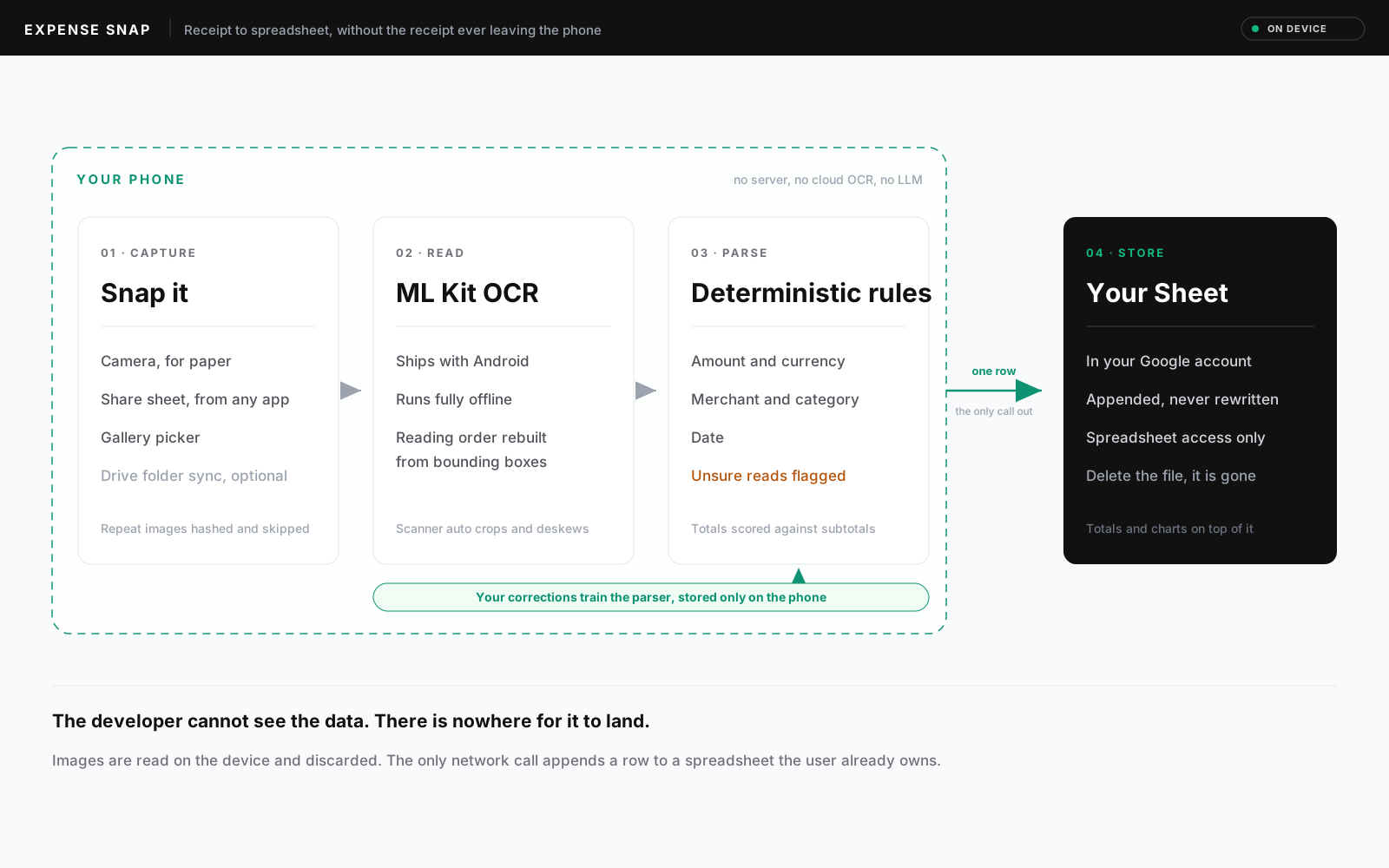
The privacy constraint drove the architecture. OCR runs entirely on the device through Google's ML Kit, which ships with Android, so receipt images are never uploaded anywhere for processing. There is no backend, no account on my servers, and no LLM API in the path. The only network call sends the finished row to the user's own spreadsheet, which means the person using it owns the database outright and can revoke access by deleting a file. Auth asks for Sheets access only; Drive access is requested separately and stays off unless the optional folder sync is enabled.
Reading a receipt
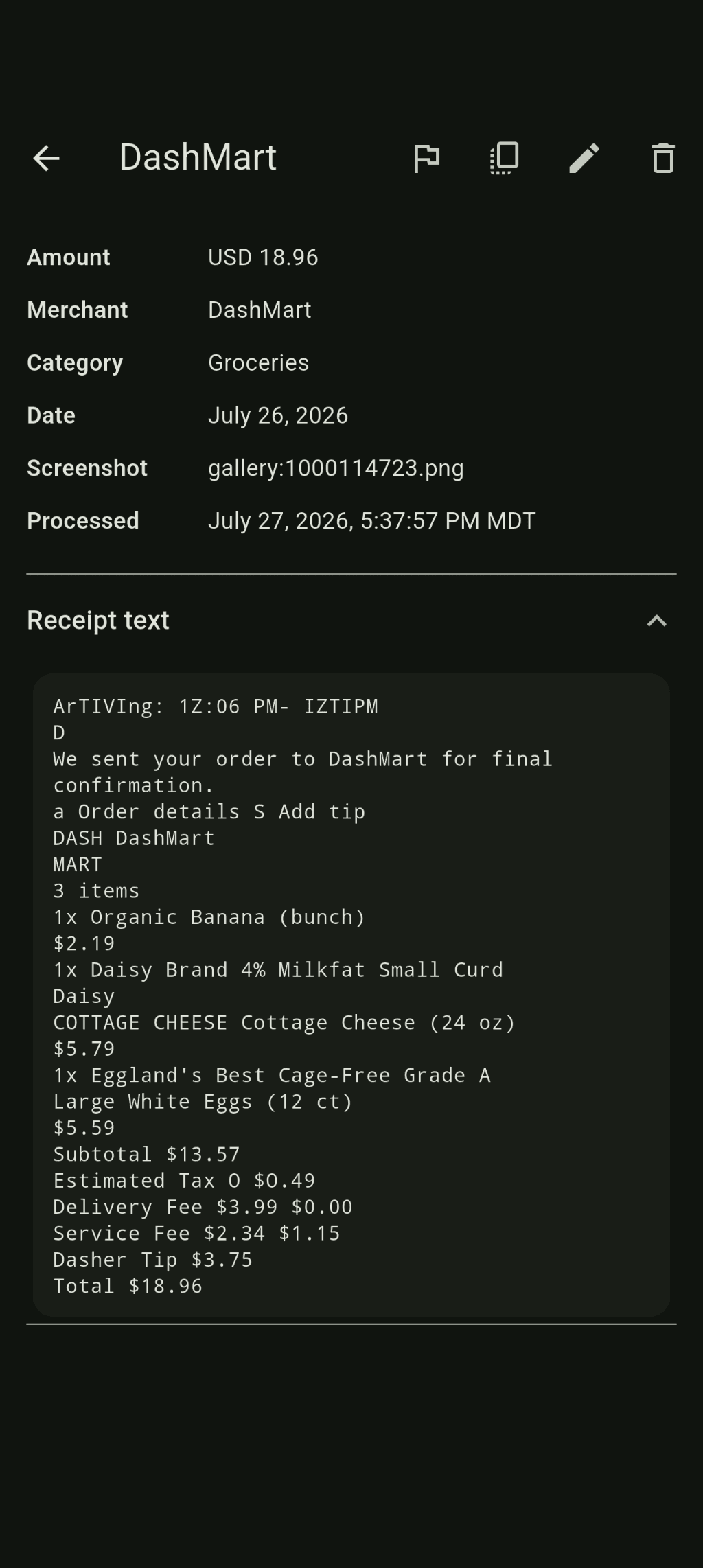
Extraction is a rules based parser rather than a model, which keeps it predictable and debuggable. It reconstructs reading order from OCR bounding boxes, which was the single biggest accuracy win, and scores candidate totals so it does not grab a subtotal or a same day card aggregate by mistake. Amount, currency, merchant, category, and date come out the other side. Anything the parser is unsure about is still recorded, but flagged for review with the raw OCR text preserved, so a low confidence read is never silently wrong.
Personalizing without leaving the phone
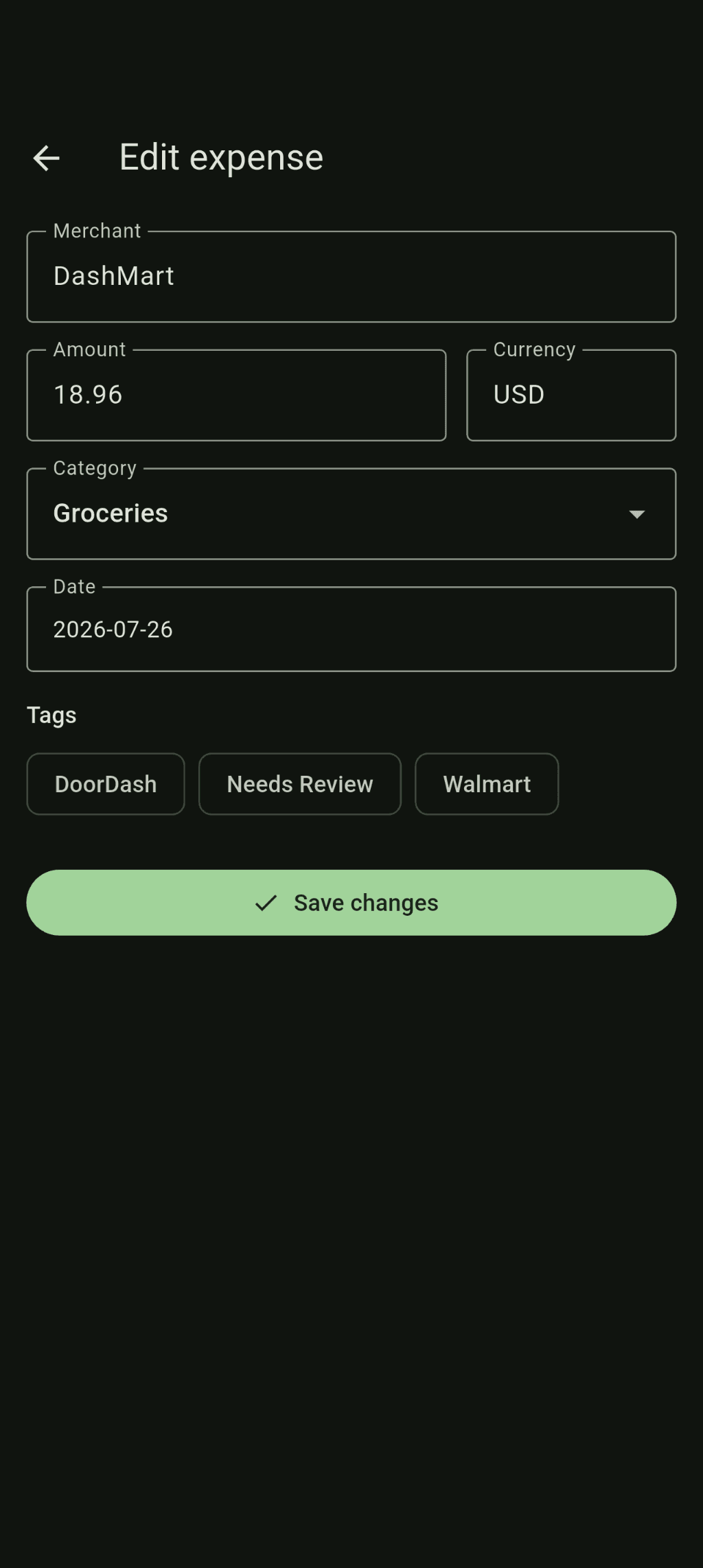
The parser also personalizes without leaving the device. Correcting a merchant or a category writes to a local map that gets applied on top of the rules on later parses, so the same receipt layout is recognized next time. Those corrections live in a file on the phone and are never uploaded.
What it has grown into
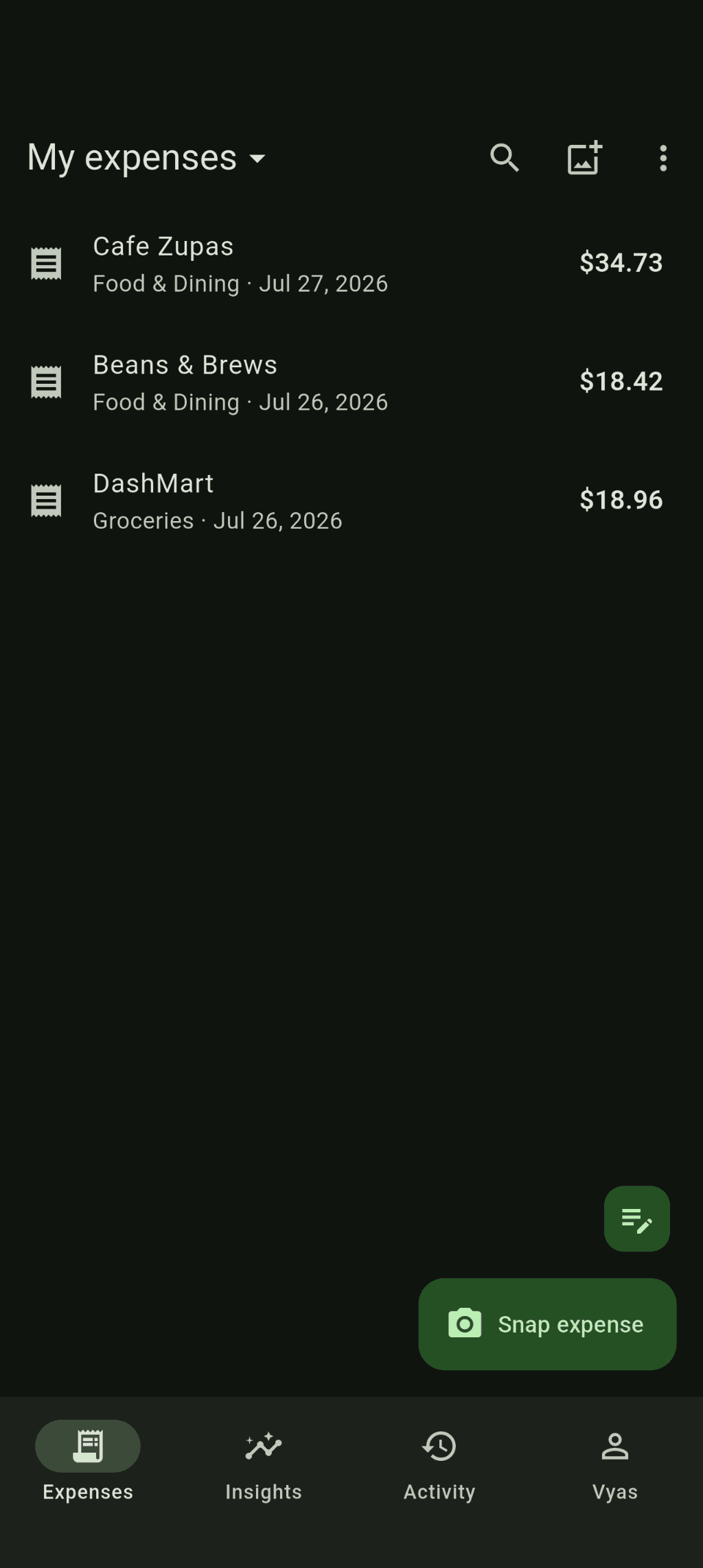
It has grown through steady real use, since I am the person most annoyed when it gets something wrong. It now has a spending dashboard, tags, manual entry for the times there is nothing to photograph, and expense books, which are separate ledgers backed by separate sheets. Group books extend that to a shared sheet with per person totals, which is what finally made splitting a trip less painful than the spreadsheet it replaced.
In the app
Key results
- All OCR on-device, with no cloud service and no LLM in the path
- Four ways in: camera, share sheet, gallery, optional Drive folder
- Every ISO 4217 currency, detected from the image where possible
- Low confidence parses are flagged for review rather than dropped
Stack